Day 14 of 28 · Vibe Coding Challenge
Deploying to the World
⏱ 7 min
📊 Intermediate
Your app works on your computer. But nobody else can see it. Today you fix that. You'll put your project on the internet with a real URL — live, accessible to anyone, anywhere.
Deployment used to be the hardest part of building software. Not anymore.
What is deployment?
Deployment means putting your app on a server that's connected to the internet, so anyone with the URL can access it.
Before your app is deployed, it only exists on your machine (or in Bolt's preview). After deployment, it has a real address like `yourapp.vercel.app` that anyone can visit.
Knowledge Check
What does "deploying" an app mean?
A
Downloading the app to your phone
B
Putting your app on an internet server so anyone can access it via a URL
C
Publishing the source code on GitHub
D
Making the design final
Deployment is going from "works on my machine" to "works for everyone." Your code gets uploaded to a server that runs 24/7, and you get a URL that anyone can visit to use your app.
The easiest deployment — Vercel
Vercel makes deployment almost magical. You push your code, and it's live. Here's how:
I have a Next.js app ready. How do I deploy it to Vercel?
Three steps:
**1. Push to GitHub**
Create a repository on GitHub and push your code:
- Go to github.com/new
- Create a repo
- Push your code to it
**2. Connect to Vercel**
- Go to vercel.com and sign in with GitHub
- Click "New Project"
- Select your repository
- Click "Deploy"
**3. Done**
Vercel automatically builds and deploys your app. You'll get a URL like `yourapp.vercel.app` in about 60 seconds.
Every time you push new code to GitHub, Vercel automatically redeploys. Zero-downtime updates.
↻ Replay conversation
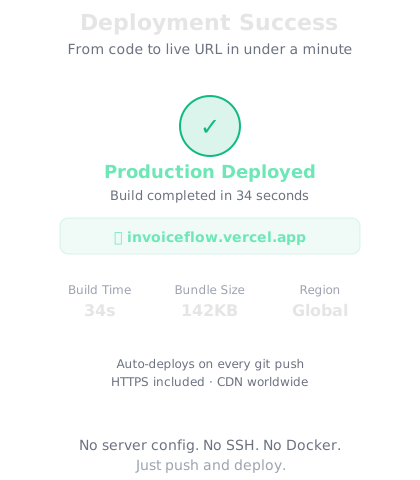
From code to live URL in under a minute. No server configuration.
That's it? No server configuration?
That's it. No server setup, no SSH, no nginx config, no Docker. Vercel detects your framework (Next.js), builds it, and serves it globally. Free tier includes custom domains, HTTPS, and automatic CDN.
↻ Replay conversation
Knowledge Check
How many steps does it take to deploy on Vercel?
A
At least 10 — servers, DNS, SSL certificates, load balancers
B
Three — push to GitHub, connect to Vercel, click Deploy
C
You need to hire a DevOps engineer
D
One — but it costs $500/month
Modern deployment platforms like Vercel handle all the infrastructure automatically. What used to take a DevOps engineer days to set up now takes three clicks. HTTPS, CDN, automatic builds — all included.
Other deployment options
Netlify — Similar to Vercel, great for static sites and Jamstack apps. Drag-and-drop deployment is also available — literally drag your project folder onto the Netlify dashboard.
Railway — Best for full-stack apps with databases. Deploys backends, handles databases, and gives you a free PostgreSQL instance.
Render — Deploys everything — static sites, APIs, databases, background jobs. Generous free tier.
Bolt / Replit — Both have one-click deployment built in. If you built your app there, deployment is one button.
Deploying...
Done ✓ Your app is live at:
🔗 yourapp.bolt.new
The URL is public — share it with anyone. Any changes you make will be automatically redeployed.
↻ Replay conversation
Custom domains
Free deployment gives you a URL like `yourapp.vercel.app`. But you probably want `yourapp.com`. Here's how:
1. Buy a domain from Namecheap, Google Domains, or Cloudflare ($10–15/year)
2. In your deployment platform, go to Settings → Domains
3. Add your custom domain
4. Update the DNS records at your domain registrar (the platform tells you exactly what to change)
5. Wait 5–30 minutes for DNS to propagate
HTTPS (the lock icon) is automatic. Your site is secure from day one.
Knowledge Check
How much does a custom domain typically cost?
Domains are cheap — around $10–15 per year for standard .com domains. Some extensions like .io or .ai cost more, but most first projects work fine with a .com. Combined with free hosting from Vercel or Netlify, you can have a live app with a custom domain for under $15.
Environment variables — keeping secrets safe
When your app uses API keys, database passwords, or other secrets, you never put them in your code. You use environment variables — settings that exist on the server but aren't visible in your source code.
My app uses a Supabase database and an OpenAI API key. How do I keep these secure when deploying?
Use environment variables. Here's the process:
**1. In your code**, reference variables:
`process.env.SUPABASE_URL`
`process.env.OPENAI_API_KEY`
**2. Locally**, create a `.env` file (add to .gitignore so it's never pushed to GitHub):
`SUPABASE_URL=https://your-project.supabase.co`
`OPENAI_API_KEY=sk-your-key-here`
**3. On Vercel**, go to Settings → Environment Variables and add the same key-value pairs there.
Your secrets live on the server, not in your code. Never commit .env files to Git.
↻ Replay conversation
Knowledge Check
Why should API keys never be in your source code?
A
They make the code run slower
B
They take up too much space
C
API keys expire too quickly
D
If your code is on GitHub, anyone could see and steal your keys — potentially running up charges on your accounts
Code on GitHub is often public. Even private repos can be accidentally shared. If your OpenAI API key is in the code, someone could use it and run up thousands of dollars in charges. Environment variables keep secrets separate from code.
Week 2 recap
Look at what you built this week:
Day 8 — A professional landing page with animations and polish
Day 9 — Interactive features — forms, modals, dark mode, micro-interactions
Day 10 — API integrations — your apps pull real data from real services
Day 11 — Full-stack apps — frontend and backend working together
Day 12 — Databases — persistent storage for your app's data
Day 13 — User authentication — sign up, log in, personalized experiences
Day 14 — Deployment — your apps are live on the internet
Two weeks ago, you'd never vibe coded. Now you can build and deploy a full-stack application with a database, user auth, and a custom domain. That's real.
Final Check
What can you now build and deploy that you couldn't before this challenge?
A
Only simple static pages
B
Full-stack applications with databases, user auth, API integrations, and live deployment — accessible to anyone on the internet
C
Prototypes that only work on your computer
D
Only backend APIs without a frontend
In two weeks, you've gone from zero to deploying full-stack apps. Frontend, backend, database, auth, APIs, deployment — you can do all of it. The remaining two weeks are about doing it better, faster, and more professionally.
🌍
Day 14 Complete — Week 2 Done!
"It's not a project until it's live. Now anyone in the world can use what you built."
Tomorrow — Day 15
Debugging with AI
Things will break. Tomorrow you'll learn the systematic approach to finding and fixing bugs with AI as your partner.