What Is Cowork?
Something interesting happened at Anthropic in late 2025. Developers using Claude Code — the company's terminal-based coding agent — started using it for tasks that had nothing to do with code. They were writing reports, organizing files, building spreadsheets, and doing research. Claude Code was designed for software engineers, but knowledge workers had discovered it was a powerful general-purpose agent.
So Anthropic built Claude Cowork — Claude Code for the rest of your work. It launched on January 12, 2026 as a research preview, and it changes how you interact with AI. Instead of chatting back and forth, you give Claude a task, watch it work, and get real results — files on your computer, documents you can open, work that's actually done.
Today you'll learn what Cowork is, how it differs from regular Claude chat, and why it matters for anyone who works with information.
More than a chatbot
Regular Claude chat is a conversation. You ask a question, you get an answer. You copy it, paste it somewhere, format it yourself. The AI lives inside a browser tab, disconnected from your actual work.
Cowork is different. It's an agent — an AI that can take action on your behalf. Here's what that means in practice:
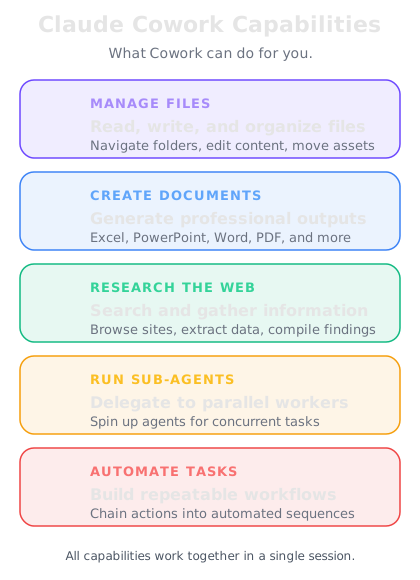
It reads and writes files on your computer. Not hypothetical files. Real ones. Word documents, Excel spreadsheets, PowerPoint presentations, PDFs — files you can open, edit, and send to colleagues.
It works in multiple steps. You don't have to babysit every action. Describe a complex task, and Claude breaks it into steps, executes them in sequence, and delivers the finished result.
It spawns sub-agents. For tasks with independent parts, Claude creates parallel workers that handle different pieces simultaneously. Five competitor profiles? Claude researches all five at the same time.
It browses the web. With the Chrome extension, Claude can navigate websites, read pages, extract data, and fill forms — all while you watch.
How it differs from regular Claude chat
This is the key distinction to understand. Think of it this way:
Claude Chat is like talking to a brilliant consultant on the phone. They give you great advice, but you still have to do all the work yourself — open the files, write the documents, organize the folders.
Claude Cowork is like having that consultant sitting at your desk, with permission to use your computer. They don't just tell you what to do — they do it. They create the spreadsheet, write the report, organize the files, and hand you the finished work.
The difference isn't intelligence — it's agency. Cowork can act, not just advise.
What can you actually do with it?
Here's a sample of what people are using Cowork for in the real world:
Document creation — Generate polished Word docs, Excel spreadsheets with formulas and charts, PowerPoint decks with proper layouts, and PDFs. Not drafts in a chat window — actual files on your computer.
Research and analysis — Give Claude a topic, and it researches, synthesizes, and produces a structured report. With browser access, it can pull from live web sources.
File organization — Point Claude at a messy folder and ask it to rename, sort, and restructure files. It handles hundreds of files in minutes.
Data processing — Transform CSVs, clean datasets, merge files, create pivot-table-style analyses. Claude writes Excel formulas that actually work.
Workflow automation — Repetitive tasks that eat your afternoon? Describe the pattern once, and Claude executes it across all your files.
Who gets access?
Cowork is available on Anthropic's Pro, Max, Team, and Enterprise plans. It requires the Claude Desktop app — you cannot use Cowork from the web interface or mobile app. It runs on macOS and Windows.
This is a paid feature because it uses significantly more compute than regular chat. When Claude is executing a multi-step task with sub-agents, it's doing the work of multiple AI sessions simultaneously.
The research preview launched January 12, 2026, with plugins following on January 30. We'll cover plugins in Week 2.